OpenAI's Agents API: What Business Teams Should Build First
 By Evan Weber10 min read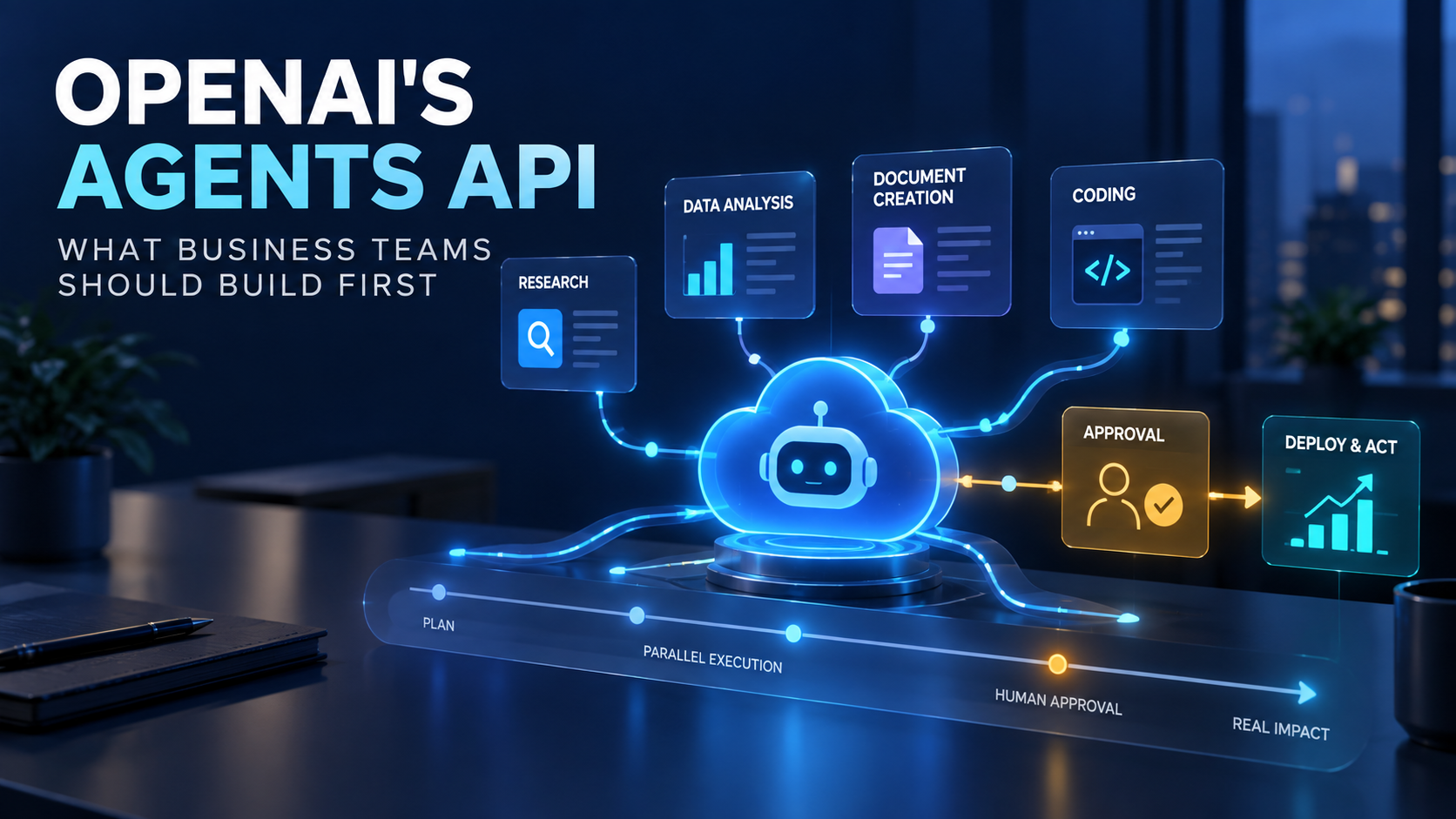
AI agents are moving from impressive demonstrations into systems a business can assign real work to. The harder question is no longer whether an agent can complete one task. It is whether the agent can keep its context, use the right tools, coordinate parallel work, recover from interruptions, and leave enough evidence for a person to review the result.
On September 10, OpenAI introduced the Agents API in public beta. It gives developers access to the managed agent harness and cloud infrastructure behind Codex. OpenAI says agents can work with files, run code, use tools, coordinate subagents, save intermediate results, and keep long-running jobs moving for days.
That is a meaningful shift for marketers, founders, operations teams, and online businesses. It can turn a recurring assignment into a managed workflow rather than another prompt someone has to restart every week. The opportunity is real, but the first project should be narrow, measurable, and easy to review.
What OpenAI actually launched
OpenAI describes the Agents API as a way to build and run cloud agents with the Codex harness, fully managed by OpenAI. The harness handles context, tool use, subagent coordination, environments, files, code execution, and intermediate work.
The Agents API is available to developers in public beta. OpenAI says there is no separate Agents API fee during the beta. Businesses pay for the model tokens and tools their agents use. Public beta matters because the interface, limits, and operating guidance can still change before general availability.
OpenAI also says the underlying Codex harness is open source. That gives technical teams visibility into the orchestration logic while OpenAI manages the cloud infrastructure. A team can inspect how the harness works without operating every part of the execution environment itself.
The important change is durable execution
A chatbot waits for the next message. A useful business agent needs to hold onto the assignment while it researches, creates files, runs checks, asks for help when needed, and resumes after an interruption.
Imagine asking an agent to prepare a weekly marketing review. It may need to collect approved exports, compare results with the previous period, find changes that deserve attention, create a spreadsheet, draft a written analysis, and preserve the supporting evidence. If one source is temporarily unavailable, the agent should record the gap and continue with the work that remains possible.
That is why the harness matters. The model is only one part of the system. The environment, instructions, tools, state, checkpoints, and review process determine whether a long-running assignment becomes reliable work or an expensive experiment.
What business teams should build first
I would start with an assignment that happens repeatedly, has clear inputs, and produces a deliverable a knowledgeable person can check. Good first workflows include:
These workflows have a visible finish line. They also create useful intermediate artifacts, which makes it easier to see where the agent performed well and where the instructions or tools need improvement.
- Weekly performance reviews that gather approved data, explain material changes, and produce a report with links to the evidence
- Affiliate recruiting research that identifies audience gaps, builds a qualified shortlist, and prepares personalized outreach angles for review
- Holiday campaign readiness checks covering offers, landing pages, creative, links, inventory, deadlines, and measurement
- Content operations that research a topic, draft platform-specific versions, check claims and links, and stop before publication for approval
- Sales preparation that combines account history, public research, meeting notes, and a clear plan for the next conversation
- Website quality reviews that test important pages, document defects, prepare fixes, and verify the corrected customer path
A holiday affiliate workflow is a strong example
Holiday affiliate planning requires several kinds of work at once. A manager needs to review the current roster, find missing publisher and creator types, get promising partners on calls, confirm placements, organize promotions, prepare creative, test links, and track who is ready to go live.
One agent could analyze the approved program data and build a call list. A research subagent could review the public content of prospective partners and prepare a short audience-fit note. Another could turn confirmed promotion details into a partner brief. A QA step could check that each landing page, code, date, and link matches the promise before the manager sends anything.
The agent should not decide on its own that a person is a good partner, send cold outreach, promise commercial terms, or launch a contest. Those decisions require business judgment and authorization. The useful automation is the preparation, coordination, evidence collection, and follow-through around the relationship.
Subagents help when the work can truly be separated
OpenAI highlights subagent coordination as part of the managed harness. That can make a complex assignment faster when the work has independent tracks. Research, data analysis, content preparation, and quality checks may run in parallel, then return their findings to one coordinating agent.
Parallel work is not automatically better. Every subagent consumes tokens, uses tools, and creates another output that needs to be reconciled. If two agents depend on the same result, running them at the same time can create confusion or duplicated effort.
Use a subagent when the task is bounded, independent, and produces a clear result. Keep dependent steps in order. The coordinating agent should know which source is authoritative, how conflicts are resolved, and what evidence must appear in the final deliverable.
Design approvals around consequences
A practical agent needs different rules for research and action. Reading approved files, organizing information, drafting a report, and running a test are usually reversible. Sending messages, publishing content, changing a live campaign, spending money, modifying permissions, or deleting production data can create real consequences.
I would define those boundaries before the first run:
The goal is not to add approval clicks everywhere. It is to place them at the points where a mistake becomes costly, public, or hard to reverse.
- What information can the agent read?
- Which tools can it use without interruption?
- Which actions require a person to approve the exact target and result?
- What should it do when a source is missing or contradictory?
- Where should it save evidence and intermediate work?
- Who reviews the final result, and what must that person verify?
Measure the workflow, not just the output
An agent can produce a polished report and still fail the business. It may use the wrong date range, repeat an old recommendation, miss a source, or consume more time in review than it saves.
Before the pilot, record how the assignment works today. Measure the time required, the common errors, the review effort, and the business decision the deliverable supports. Then compare the agent-assisted process against that baseline.
Useful measures include completion time, correction time, source coverage, factual error rate, tool and token cost, percentage of runs needing intervention, and whether the finished work helped someone make a better or faster decision. If the workflow touches revenue, compare the downstream result too, but do not attribute every change to the agent.
Cost control belongs in the design
OpenAI says the Agents API has no additional platform fee during public beta, but the model tokens and tools still cost money. Long tasks, repeated browsing, large files, code execution, and several subagents can make a workflow more expensive than expected.
Give the agent a budget for time, model use, and tool calls. Use faster or lower-cost models for routine classification and formatting when quality holds up. Reserve stronger reasoning for ambiguous decisions, difficult analysis, and final review. Cache stable context instead of rediscovering it on every run, and stop a workflow when the expected value no longer justifies another round.
The cheapest run is not always the best run. A weak result that takes an hour to correct may cost more than a careful result from a stronger model. Track the complete cost of producing something the team can actually use.
A sensible first pilot takes one week
Choose one recurring assignment with a clear owner and a real deadline. Write down the current process, inputs, output, approval points, and definition of done. Give the agent access only to the minimum tools and information it needs.
At the end of the week, decide whether to improve it, expand it, or stop. A small workflow that saves time every Friday is more valuable than an ambitious agent nobody trusts enough to use.
- Day 1: Define the assignment, baseline, sources, owner, and review checklist
- Day 2: Build the smallest working version with one agent and limited tools
- Day 3: Test normal cases, missing data, conflicting information, and a tool failure
- Day 4: Add one useful subagent or automation only if the first version shows a real bottleneck
- Day 5: Run the workflow on a live assignment, review every important claim and action, and compare the result with the baseline
The agent needs an operating system, not a clever prompt
The Agents API is interesting because it packages more of the operating system around the model. It can keep context, coordinate tools and subagents, work inside a cloud environment, and preserve progress across a long assignment.
That still does not replace good management. A business must choose the right assignment, provide trusted context, define the limits, measure the cost, and inspect the result. The teams that do that well will be able to delegate larger pieces of real work without giving up control.
If you want help choosing and building a practical first workflow with OpenAI Codex, ChatGPT Work, Claude Cowork, or the Agents API, LearnCowork.net offers hands-on training and implementation. Start with one recurring assignment, make the evidence and approvals clear, and build from a result your team can verify.
Key takeaways
- OpenAI introduced the Agents API in public beta on September 10, 2026.
- The managed Codex harness supports context, tools, subagents, cloud environments, files, code execution, and long-running work.
- The best first project is a recurring, reviewable assignment with known inputs and a clear deliverable.
- Human approval should remain at public, financial, customer-facing, permission-changing, and destructive steps.
- During public beta there is no separate Agents API fee, but model tokens and tools still have costs that teams should measure.
Frequently asked questions
What is OpenAI's Agents API?
It is a public-beta API for building and running cloud agents with the managed Codex harness. OpenAI says it supports context management, tools, subagents, files, code execution, cloud environments, and long-running work.
Is the Agents API generally available?
No. OpenAI introduced it as a public beta on September 10, 2026. Teams should expect the product and guidance to evolve.
How much does the Agents API cost?
OpenAI says there is no additional Agents API fee during the public beta. Customers pay for the tokens and tools their agents use.
What should a business automate first?
Start with a recurring, reviewable assignment with known inputs and a clear deliverable. Weekly reporting, research preparation, campaign QA, content operations, and sales preparation are stronger first projects than an open-ended autonomous business process.
Should an agent be allowed to publish or send messages automatically?
Only when the organization has deliberately approved that exact workflow and put appropriate controls in place. For most early pilots, keep human approval before public, financial, customer-facing, permission-changing, or destructive actions.
Evan is a 25-year digital marketing veteran, founder of Experience Advertising, and a daily Claude Cowork and Codex user who trains business teams to use agentic AI fluently in their real workflows.
More about Evan