How to Document an AI Workflow So Another Team Member Can Run It
 By Evan Weber8 min read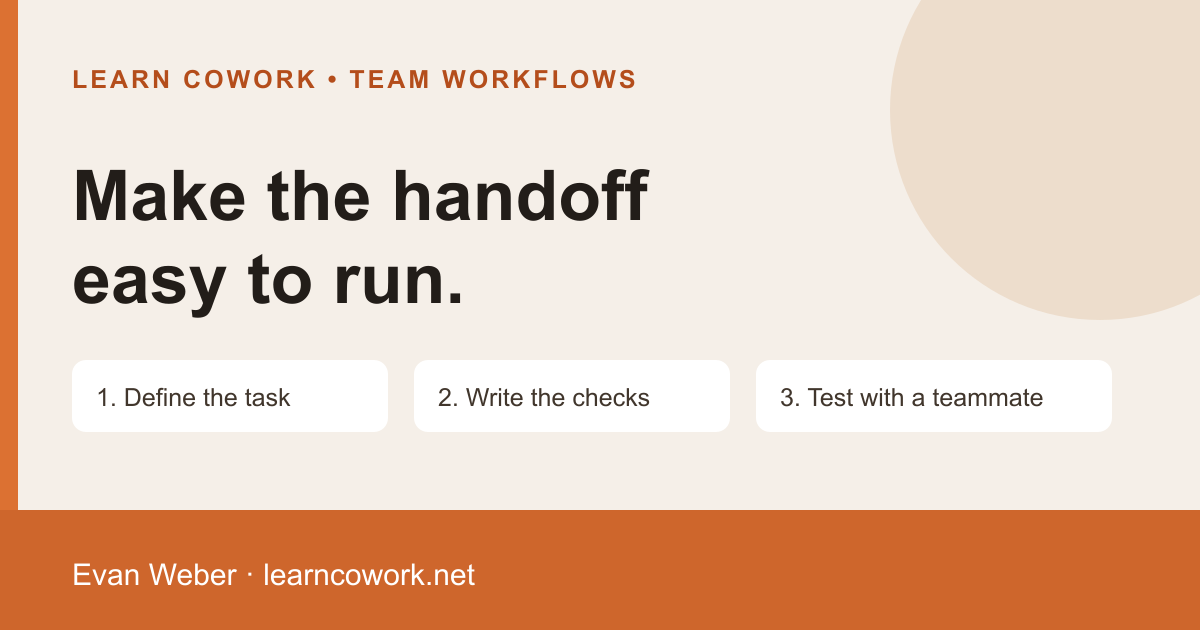
Document an AI workflow by naming its outcome, approved inputs, steps, permissions, review checks and owner. Include a safe example and ask a teammate to run it from the instructions. Revise the parts that make them guess before calling the workflow ready for the team.
A saved prompt is a useful starting point. It rarely explains which file is current, what the output should look like, who can approve it or what to do when information is missing. Those details matter when the person who created the task is unavailable.
This guide is for business teams turning a recurring assignment into a process another person can use. The example is a weekly marketing summary, but the same structure can support a research brief, document review or internal content draft. It is a proposed method, not a claim about a client rollout.
Start with one bounded assignment
Choose a task with a recognizable beginning and end. “Help with marketing” is too broad to document. “Prepare an internal weekly summary from the approved campaign export and sales notes” gives the operator a concrete job. State who uses the result and which decision it supports.
Define what finished means in terms someone can inspect: a one-page draft, dated source references, explained calculations, unresolved questions and a named reviewer. Keep drafting, approval and sending as separate stages. If the workflow produces a draft, a successful run has not sent it.
Write down the starting condition. Perhaps the campaign export is complete and the sales owner has supplied notes. If either input is missing, the operator should know whether to wait, prepare a partial draft or ask the owner for the missing item. Avoid making that choice differently on every run.
Name the sources and the approved work environment
Record the actual input location, file format, date range and source owner. Include how to find the current version. A screenshot of last month’s folder is less useful than a clear instruction for identifying this week’s approved export.
Keep private customer information and credentials inside your organization’s approved systems. The guide can describe the required access without embedding passwords or copying private records. Use a redacted or synthetic example when teaching the process. Make clear which fields have been changed for training.
List the tool and workspace the operator should use, along with the date you last checked the setup. Available connections, models and interfaces can change. Tell the operator to confirm the needed connection is present and authorized before beginning. Documentation should not require them to grant broader access just to reproduce your demonstration.
Write the task brief and preserve the reasoning behind it
Give the AI the reader, purpose, source material, constraints and deliverable. Explain what it should do with a missing value or conflicting source. A useful instruction is to identify the unresolved fact and keep it out of the conclusion until reviewed.
For the example summary, ask for the reporting dates, campaign observations, relevant sales notes and questions for the meeting. Require source references for numbers. Tell it to keep attributed advertising conversions separate from confirmed customer outcomes unless the records support a reconciliation.
Keep the reusable instruction beside a short explanation of its important choices. A colleague should understand why the date range is fixed and why missing information is marked unavailable. That helps them adapt the brief responsibly when the assignment changes.
Record the work as steps with observable checkpoints
Use numbered steps that describe a real action and its expected result. Start with checking inputs, then preparing the brief, reviewing the draft and saving the approved version. Put the review checkpoint next to the action that needs it.
For a spreadsheet summary, a checkpoint might be that the source total matches the number in the draft and the reporting period appears in the heading. For a research brief, it might be that the cited pages open and support the associated claims. “Check quality” gives the operator too little guidance.
Capture important decisions as they occur. If you excluded a campaign because its dates were incomplete, record that reason with the draft. Another operator should not have to infer why the output differs from the original export.
Make review and authority part of the guide
Name the person who reviews the result and specify what they check. Product facts, calculations, tone and publication authority may have different owners. State which checks must pass before the next stage and who resolves a disagreement.
NIST’s AI Risk Management Framework core describes documentation, clear responsibilities and human oversight as parts of AI risk management. It is voluntary guidance. The workflow template here is a practical application, not a NIST certification or a complete compliance program.
Keep external actions explicit. Preparing a reply, posting it and changing a customer record have different consequences. The operator should be able to see which actions the process authorizes, which require approval and which are outside this workflow. Read our guide to reviewing AI-generated work for a more detailed output review.
Use this compact workflow record
Put these fields in one shared document. Link to supporting examples and policies instead of copying everything into the guide. Give the record a version and review date so a teammate can tell whether it describes the current process.
- Outcome and reader: what the workflow produces and who will use it.
- Start condition: which inputs must be available before the task begins.
- Inputs: approved location, date range, source owner and required fields.
- Environment: approved tool, workspace, connections and access requirements.
- Task brief: reusable instructions, constraints and treatment of missing information.
- Steps: actions in order, with a visible result for each checkpoint.
- Review: named reviewer, factual checks and approval requirements.
- Output: format, storage location and draft or approved status.
- Exceptions: stop conditions, escalation contact and safe fallback.
- Maintenance: owner, version, last test date and reason for the next review.
Show a safe worked example
For an illustrative weekly marketing summary, the inputs could be a synthetic campaign export and a fictional sales note. Label both clearly. The output is an internal draft with the reporting period, three observations, source references and questions for the meeting. It does not email the team or change a campaign.
The operator checks the file dates, asks the AI to draft the summary and compares every stated total with the export. If a campaign has no sales note, the draft says the sales context is unavailable. It should not infer that the campaign generated no customers.
Keep a reviewed example alongside the instructions, with notes explaining what makes it acceptable. It can show the desired structure without implying that every future result must use the same wording. Include one deliberately incomplete input so the operator can practice the exception path.
Test the handoff without coaching every step
Ask a teammate who did not write the guide to run the safe example. Have them note each place they stop, ask a question or choose between interpretations. Observe the process without filling in every missing instruction. Otherwise you are testing your ability to explain the task live.
Check the result against the same acceptance criteria used for the example. Record the corrections and any assistance required. One successful exercise supports that specific handoff; it does not prove the process will handle every file or tool change.
Revise unclear instructions, then try an ordinary variation such as a different reporting period or a missing required field. The teammate should know when to proceed and when to stop. A workflow is easier to maintain when these decisions are written down.
Maintain the guide when the work changes
Assign one owner to keep the document current. Review it when the input format, tool connection, output requirement or approval process changes. Keep a brief change log explaining what changed and whether the example was tested again.
If a run produces an unexpected result, preserve the relevant source reference and review notes within approved storage. Update the guide when the issue reveals a missing instruction. Avoid changing a prompt after every odd response without checking whether the input or review process caused the problem.
Start today with one recurring task and a teammate who will use it. Write the compact record, attach a safe example and schedule the handoff test. Our AI workflow consulting and team training guide can help frame the next training conversation around an actual deliverable.
Key takeaways
- Define the outcome and starting condition before saving the prompt.
- Put input locations, checkpoints, authority and exception paths in the guide.
- Test with a teammate and a safe example, then revise the places that require guessing.
- Assign an owner and retest when the underlying task changes.
Frequently asked questions
Is a saved prompt enough to document a workflow?
It usually needs supporting context: input locations, expected output, review checks, permissions and exception handling. The prompt is one part of the process.
How can we test without exposing customer information?
Use a redacted or synthetic example approved for training, identify what was changed and keep the live data in your approved environment.
When should the workflow guide be updated?
Review it when sources, tool connections, output requirements or approval rules change, and when a failed run reveals missing instructions. Record the version and last test date.
Evan is a 25-year digital marketing veteran, founder of Experience Advertising, and a daily Claude Cowork and Codex user who trains business teams to use agentic AI fluently in their real workflows.
More about Evan